
Why More PR Efforts Should be Coordinated Around Veterans Day

Why More PR Efforts Should be Coordinated Around Veterans Day

My PR team is always looking for opportunities to draw some media attention to our clients for doing something positive.  As part of this effort, we often coordinate media efforts around various holidays and shared cultural events. Out of all the dates on the calendar, I never expected Veterans Day to become my favorite. Both because of what it represents, and the media opportunities it has provided our clients.
Veterans Day has long been one of those specialty holidays recognized mostly by those who have a personal connection to the military.  It’s not part of a three-day weekend, and people often mix it up with Memorial Day which honors the fallen vs Veterans Day which recognizes the living who have served.

My team took Veterans Day efforts to an entirely new gear this year, and I want to share what we did. Not to brag, but in hopes of sparking your imagination or participation for Veterans Day next year.

The Veterans Day Giveaway Idea

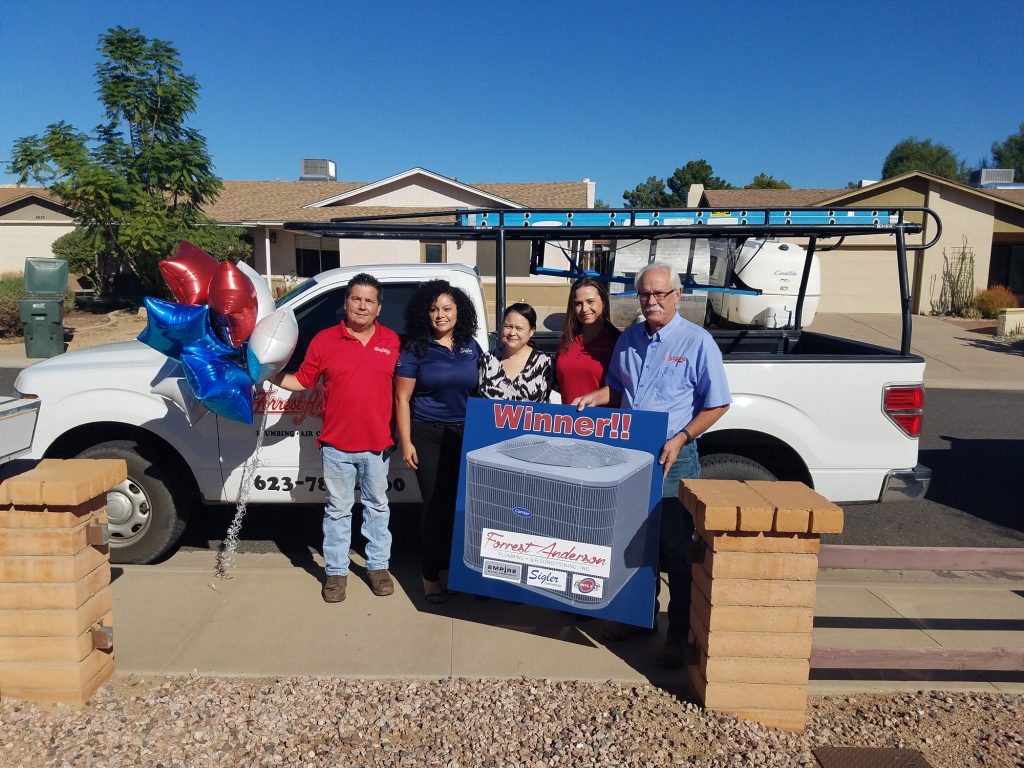
We have several HVAC and plumbing clients. One of those companies was founded by a Veteran after WWII, and the company is now lead by his granddaughter (3rd generation).  Five years ago, we launched a now annual Veterans AC Giveaway Contest where the public could nominate a Veteran or their family member in need of a new AC unit or furnace. After verifying nominations and choosing finalists, the public was given the opportunity to vote for the recipient, with the prize awarded on (or around) Veterans Day.

That single contest has expanded.  In 2020 we held the contest in five different cities spanning the U.S. from Miami, Florida to Spokane, Washington. Yes, the contest is a nice thing to do and it’s generated publicity and stories in each City we’ve done it. But it’s much more than a contest.

Our goal is to share personal stories of local Veterans and active duty members that most people never hear about. These are the men and women who left their homes, their families, and their friends to dutifully serve our country across the nation and around the world. Their stories are incredible. Like an Arizona man who joined the Army after the attack on 9/11 to protect our nation and came back with a life-changing injury from a rocket propelled grenade. Or the Florida man who joined the Navy at age 17 and got to take a newly commissioned ship through the Panama Canal. Or the woman who was the first female in her family to join, and now copes with the debilitating effects of PTSD.

In our eyes, they are all heroes. They all deserve notoriety.  So we share their stories using videos, blogs, social media, and often the news media will help us reach a wider audience. These stories have helped old friends reconnect providing them with a sense of hope and some comfort during an increasingly stressful time.

It amazes me how grateful these Veterans are to be recognized. I am also impressed by their shared bond. They understand what it’s like to be too far from home, and why it’s so hard to talk about what they experienced. We are saddened by how many suffer from mental trauma and inspired by how many of them volunteer to help other Veterans heal.

The other major effort we launched was the #VetDayPledge.

The idea started in 2018, when one of our large construction related clients was looking for ways to recognize their employees that were Veterans. We suggested that the company gather employees on Veterans Day a job site or in their warehouse and simply invite all the Veterans to the front of the group to lead their co-workers in the Pledge of Allegiance.  We used smartphone video to then share it with media and post it on social media.  The response from employees who participated was so positive that the construction company expanded it to multiple cities and job sites the following year.

This year, with permission from the client we decided to expand the idea to include any company willing to participate.  Our only request was that anyone who participated include the hashtag #VetDayPledge to unify the message and make it easier for others to see and hopefully participate on their own. In addition to sharing the idea with other companies (clients and non-clients), we invited other PR firms to share the idea and created a website www.VetDayPledge.com with free resources and tips for companies to do it on their own.

I’m so proud that during this campaign’s first year going national and mainstream that we had participants from 10 states!  While some videos came from our clients, the majority of the participants were not!  In addition to several businesses, an elementary school participated, as did a senior living community!

A Wisconsin TV station even did a news story about one of the participants. You can watch the story by clicking here!

We’re excited to grow the #VetDayPledge further next year and believe that without the election (and COVID) related distractions, even more businesses and organizations will participate.  This idea has become a passion project.  We love that it’s a simple, no cost idea that anyone can do to thank our Veterans and their families.

Ultimately, the most important thing for companies to remember when doing a PR campaign around Veterans Day or Memorial Day is to do it for the right reason. We believe that the VetDayPledge and the Veteran AC Giveaway Contest fit that purpose.  Sure, it might generate some positive publicity for our clients, but most importantly, it generates recognition for those who’ve served and sacrificed- the individual veteran, and their families alongside them.

There are lots of great ideas that companies are doing to recognize Veterans. Share them below and help us inspire others!

How to Pull Off an Employee Photo Shoot During COVID

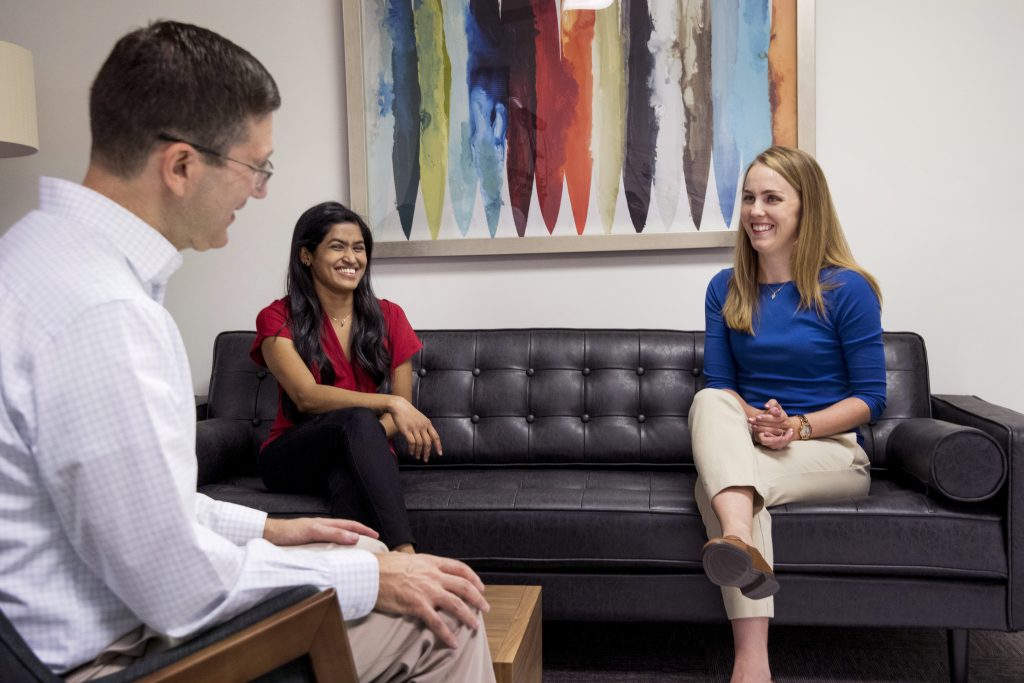
It had been a few years since my company last did head shots or team photos. Then, COVID hit and the team started working remotely. In addition, we gained two new employees in the last seven months.

I knew I didn’t want to wait to get new photos until after the pandemic was over, so I accepted that different employees have different comfort levels about gathering in a group until the risk is fully gone. The challenge became how to schedule a team photo shoot during COVID, thus creating a new library of company images that can be used both in the short, and long-term. 

Knowing a lot of other companies are going through a similar thought process, I thought it would be helpful to share our process and considerations of how to coordinate a company photo shoot during COVID.

Tips on coordinating timing and staff attendance:

  1. Give everyone plenty of notice of your plans to do the photo shoot.  This was important for several reasons. First, it allowed everyone to get comfortable with the idea of coming into the office, even for an hour or two. Second, it gave people time to schedule hair appointments, coordinate care for their kids at home, etc.,
  2. Respect their comfort level in returning.  Getting everyone together at once we knew was going to be out of the question from a distancing standpoint, so we scheduled out blocks for each employee.
  3. Take advantage of overlap times.  We purposely scheduled overlap time as one person was leaving and another arriving.  This allowed coworkers to say hello in a smaller environment, but also provided an opportunity to take some (socially distant) group photos. For example, during the overlap times we were able to spread out in an office or in a conference room to take some team interaction photos.
  4. Be smart about assigning times.  Accepting it likely a shoot may run late, we made sure the first person of the day was the individual who had the shortest available window (due to childcare considerations) to help them get out on time.  Also, the newest member of our team was hired during COVID and had never met his co-workers in person (only via Zoom).  To maximize the in-person interaction opportunity, we scheduled him accordingly between other coworkers.

The other part is figuring out what photos you need- not only now, but for the next year or more. We knew we needed individual headshots, but we still wanted team shots, candid photos, options for social media images, our websites, etc.  We also didn’t want our photo shoot to become obviously dated by COVID to the point a new photo shoot would be needed post vaccine.

Tips for the Actual Photo Shoot:

  1. Set Up Reusable Backdrops: Setting up and testing lighting takes a lot of time, so pre-designate key backgrounds that can be used flexibly, and repeatedly. We had two key backdrops. One was in our main Lobby where our company logo is on the wall. The second we set up all-white backdrop with paper to take general photos. The white backdrop was ceiling to several feet on the floor for team members to literally stand on during their photos. This was designed to allow for easy cropping, adding of backgrounds, colors, etc. 
  2. Head Shots: This was relatively straightforward, but we wanted options. We had each employee take headshots in two locations, with both a formal and business casual outfit. This was designed to give us options and alternatives based on the need.
  3. Extra Headshot tip: Make sure at least one of your headshot backdrops are easy to replicate in office without the professional photographer.  The thinking is if you add new employees, you will want the option to take a photo on your own and still have it generally match your other team members without having to hire a photographer to come out and try to copy the earlier set of headshots.
  4. Mask photos:  In addition to normal photos, we also had each employee take a headshot wearing a mark, and some with it half-off (including one making a face).  The idea being we could do a quick slide/Instagram slide of 3 from mask on to mask off. 
  5. Group Photos:  This was particularly hard since we weren’t going to all be together at the same time.  Working with the photographer (we used Rick D’Elia who did an awesome job), we came up with a few ideas that worked. One was a layer approach- where a background with chairs was set up and wouldn’t be moved. Each team member was then photographed in a different spot and everyone was layered together afterward to make up the complete photo.  The second idea was what we called the Album Covers.  On the all-white backdrop, we tried to copy some iconic group images. One easy example would be the cover of the Abbey Road album cover. We all pretended to walk down the street, and we’ll be cropped and layered onto a street scape. The hope is when people see it, they’ll immediately think of the Beatles cover. 
  6. Prop Shots: We had about a dozen different props.  Each member took photos with them on the white background. The idea of these photos was that they’d be great for social media.  A prop example is we had several American flags.  We’ll now have several photos of co-workers holding flags which we will have the option to use for holidays and events like July 4th, Veterans Day, Election Day, etc.  Another example was everyone brought their favorite piece of sports equipment (a tennis racquet, swim goggles, etc.)
  7. Multiple Outfits: Each employee was encouraged to have 4 outfits (one formal, 3 casual).  The idea was to switch out outfits for the “prop shots” and office candids so that it didn’t look like every photo was taken at the same time on the same day. 
  8. Fool Around and Have Fun: The best photos aren’t always planned. Make sure you tell your photographer to have fun and take candids.  A great example is while taking photos of an employee at her desk, the photographer saw some animal slippers below her desk (yes, she wears them sometimes at work).  The photog loved that, so he took a photo of her at her desk in her animal slippers creating a really fun image.

While a ton of work getting it set up, the entire team agreed it was a great experience and great to come back into the office, even temporarily, after six months working at home.

As to the pictures themselves- they came out great! You’ll start seeming us slip them into our social media posts and website soon.  We’ve now got great library of individual and team photos that can be utilized both during COVID, and afterward.

-Josh Weiss, President of 10 to 1 Public Relations

Breast Cancer Awareness Month

Chances are you’ll be seeing a lot more pink this month, as October marks Breast Cancer Awareness Month, an annual campaign to increase awareness of the disease. According to the National Breast Cancer Foundation, 1 in 8 women in the United States will develop breast cancer in her lifetime, and this year alone, an estimated 325,000 new cases of breast cancer will be diagnosed in women in the U.S.

1 in 8 women in the United States will develop breast cancer in her lifetime

Our client, Plexus Worldwide, has been supporting women’s health since its inception, with its flagship product the Plexus Breast Chek Kit, designed for women to easily perform monthly self-examinations to help detect changes in their breasts. The company is supporting and recognizing Breast Cancer Awareness Month with pop-up giveaways in the month of October and as part of the Plexus Worldwide Breast Cancer Awareness Month Campaign. The “Pink Wednesday Pop-Up Giveaways” are a social media campaign designed to engage their community and create awareness about self-check breast exams.

Starting Wednesday, October 7, their “Pink Wednesday Pop-Up Giveaways” will occur every Wednesday in October. Followers can participate in their first pop-up giveaway on their Plexus Worldwide Brand Page on Facebook and every other week on their Plexus Worldwide Instagram account. All winners will receive a Breast Chek Kit, in addition to other prizes such as Kate Spade brilliant statements tri-prong stud earrings, Fujifilm Instax Mini 11 Instant Film Camera, Nike Brasilia Just Do It Mini Backpack, and Beats by Dr. Dre Powerbeats Pro Totally Wireless Earphones.

In addition, Ambulnz, an industry leading on-demand ambulance services provider, is drawing attention to Breast Cancer Awareness Month by providing pink ribbon magnets for some of their 350 vehicles in their fleet across the country. In addition, they’re providing pink ribbon lapel pins for their employees to wear and encouraging them to educate themselves and their loved ones on the importance of breast health.

Like these companies, and so many others, October is the perfect time to think about breast health, and the National Breast Cancer Foundation is dedicated to providing educational information from understanding the importance of early detection, to knowing how to prepare for a mammogram. The Foundation has online resources and guides aimed to empower women and men with useful information. In addition to information, there are several different ways you can help, including becoming a community ambassador, sharing your story, or supporting local groups helping to educate the public. Either way, take a moment to read up on breast cancer and encourage the people in your life to do so as well, because when breast cancer is detected early, it can be treated more successfully.

Surviving the Election News Cycle

With fewer than 50 days to go until the 2020 General Election, PR pros and casual news consumers alike will have noticed the continued focus on the election during each news cycle. Election-related stories will continue to be a major part of our daily news diet, even amidst a continuing global pandemic, raging wildfires in the west, discussions about social justice, and other pressing issues.

Local and national media alike have been doing a great job to help voters get the information they need to participate in the electoral process. This is despite documented outside efforts to spread misinformation about the election.

At 10 to 1 Public Relations, we’ve been doing our part to build confidence in the electoral process by helping our client Runbeck Election Services, an elections services company focused on delivering election printing, equipment and software solutions, explain the technicalities of how the vote-by-mail process works. This year, Runbeck is planning to print 15 million vote-by-mail packets, four times more than they produced in 2016, as demand for vote-by-mail soars as a safe method of voting during the pandemic.

In the past few months, we’ve helped connect Runbeck to local and national media to explain how vote-by-mail is a safe and secure process which can be trusted by the voters to deliver legitimate results. Here are just a few recent stories featuring Runbeck:

As we have been working on these stories, we believe there is really one way to survive the oncoming onslaught of election news coverage as we get closer to November 3. Make sure you are paying attention to trusted and verified sources on the election.

Here in Arizona, according to the Arizona Secretary of State, you must register to vote or update your voter registration on or before Monday, October 5 to participate in the 2020 General Election. If you plan to vote by mail, you must request a ballot or join the Permanent Early Voting List (PEVL) on or before Friday, October 23. It is recommended that you mail back your ballot as soon as possible and not after Tuesday, October 27. If you still have your vote-by-mail ballot after October 27, you can drop it off at a voting location or drop box before 7:00 p.m. on Tuesday, November 3.

All Arizona voting information can be found at Arizona.Vote, or visit Vote.org for other state-specific voting information, deadlines, and instructions.

Because one thing is for sure: You can’t complain if you don’t vote.

By Erica Fetherston, Sr. Account Exec. at 10 to 1 Public Relations

Video Series: Public Relations Tips To Get Through COVID-19

As the novel coronavirus has spread across the globe, business as we have known it has been upended. While we work together to stop the spread of COVID-19, there are things companies can be doing to position themselves to withstand the pandemic, help the community, and ultimately come out of this crisis stronger.

Public relations can play a role in delivering on these goals. 10 to 1 President Josh Weiss has created a video series of brief videos to give you ideas on how you can best position your company utilizing basic public relations and crisis communications tactics.

You can check out our video series below or on our YouTube page.


PR & COVID-19: Share Your Expertise

https://youtube.com/watch?v=4rCj5Sf89oY%3Ffeature%3Doembed

PR & COVID-19: Find Opportunity for Every Story

https://youtube.com/watch?v=atS6Rv0KRDs%3Ffeature%3Doembed

PR & COVID-19: Walk Through Your Warehouse

https://youtube.com/watch?v=emdFN9dWdA0%3Ffeature%3Doembed

PR & COVID-19: Pivoting The Right Way

https://youtube.com/watch?v=pnpAuAJ82Dg%3Ffeature%3Doembed

PR & COVID-19: Follow The Leader

https://youtube.com/watch?v=3eroAMKpMNM%3Ffeature%3Doembed

PR & COVID-19: Be Honest With Your Customers

https://youtube.com/watch?v=E0drKp1XgoM%3Ffeature%3Doembed

More videos will be added on a regular basis – stay tuned!

12 Tips for Successful At-Home Remote Video Interviews with the Media

You’ve landed a remote interview with a television station, congratulations! How do you make sure it goes well and you get your message across? How can you best avoid any technology failures or unwanted interruptions?

There are several things to keep in mind to ensure that you are prepared for the interview, both when it comes to visuals and audio.

BEFORE THE INTERVIEW

1. Ensure you have the proper technology. Things to consider:

  • Make sure that you have the appropriate video software downloaded to your computer and that it is the most updated version.
  • If you have an external camera and/or microphone, ensure they are set up and working.
  • You can use headphones during the interview to enhance your audio, as the microphone will be higher quality than a standard computer microphone and be closer to your mouth to pick up your sound better. However, do not use large over-ear headphones as they will not look appealing on camera. Earbuds are recommended. If they are corded, use the one side with the microphone and hide the cord as best you can.

2. Identify your interview location. This should be a room in your home that has a door that can be closed to shut out unwanted interruptions. It should also be as close as possible to your internet router to ensure you have a strong internet connection.

3. Set up your space. Things to pay attention to:

  • Light source – You want to avoid any light coming from behind you. If you have to position yourself in front of a window, close the blinds. A “fancy” at home set up will include a “ring light” that will cast a favorable light on your face to make you look your best. If you do not have access to a ring light but your face lacks the proper lighting, find a lamp in your home that you can position that shines some light on your face.
  • Background – You don’t want a cluttered space in the background, but you also don’t want it to be barren. Positioning a bookshelf behind you is usually an appealing visual. Doublecheck the bookcase before the interview to ensure that all of the viewable titles are appropriate. If you don’t have a bookshelf, you can use a small table or desk behind you to arrange some memorabilia like photos or other décor for some visual interest. If you have merchandise or props related to your interview/company, they should be placed somewhere in the video frame.
  • Set up a comfortable chair – You will want to be seated during the interview to prevent any random movements that may be distracting. Avoid a swivel chair if possible.
  • Camera/Computer Position – Depending on how you will be seated, you will want to set up your computer or camera so that it is elevated. The camera should be level with your eyes for the optimal image. Elevate your computer by using a laptop stand or a stack of books. For the best framing, you’ll want to position the camera about an arm’s length away from you.

4. Run a Test. Using the appropriate video software with any external equipment set up, run a test call with a friend or colleague to ensure that your video and audio are working well and that you are happy with your setup.

DURING THE INTERVIEW

5. Prevent any noise interruptions. Items to check off:

  • Turn your phone to “do not disturb” mode.
  • Put a sign on your door that says, “do not disturb.” If necessary, do the same for your front door and ask people not to ring the doorbell.
  • Alert family members of your interview time and request that they stay quiet or in another part of the house.
  • Hide pets in another room for the duration of the interview.

6. Wear the appropriate clothing. Avoid bright patterns or colors that would blend in with your background. Solid pastels are best. Do not wear bright white or green, as these colors do not work well on screen.

7. Keep your body in check. Things to keep in mind:

  • Check your posture. While seated, make sure you are sitting straight up. Roll your shoulders back to check you have the right posture.
  • Stop bouncing your legs. It’s normal to experience some nerves before or during an interview. Keep your feet planted to avoid bouncing your legs.
  • Watch your hands. Some people are very expressive with their hands when they speak. This can be distracting during a video interview. Try to keep your hands in your lap while you’re speaking for the most part, a little hand motion during some of the interview is okay.
  • Grab a glass of water to keep by your setup in case it is needed during the interview.

8. Speak slowly and clearly. Speak more slowly than you normally would, it may sound weird to you but it will help you reduce the number of “ums” and allow the viewers to better follow your messaging.

9. Keep eye contact with the camera. It may feel awkward not looking at the computer screen when answering the reporter’s questions, but you’ll look your best for the interview when you are looking directly at the camera while you are speaking.

AFTER THE INTERVIEW

10. Thank the reporter. Ask if there is anything else that you can do to help them with the story. If the interview was recorded and will be used later, ask when they anticipate the interview will air.

11. Send b-roll and photos. If the interview was recorded, send the reporter any additional b-roll or photos that could help enhance their story.

12. Share the interview. Once the interview has aired or been posted, share it far and wide via your social media channels and email newsletter! Be sure to also post it to the media or blog page of your website. 

Following these tips should guarantee a successful remote at-home video interview. It is particularly important to consider these tips at this time while the coronavirus pandemic has forced many television news stations to shift operations and prioritize remote interviews like these. By providing an excellent interview, it’s more likely that you’ll be invited back for another interview in the future.

— written by Erica Fetherston, Sr. Account Exec at 10 to 1 Public Relations

The First 24 Hours of a Crisis: Offer Questions, NOT Answers

Boom.  Out of nowhere, a crisis hits your company or community. As the leader, everyone’s turning to you.  In part to see how you react, but mostly for instruction confirming how they’re supposed to respond. 

Everyone’s turning to you for answers- but that’s the last thing you should be doing during the first 24 hours of a crisis.  Your job the first 24 hours is to ask questions, and to avoid giving answers.

The first questions you ask should be directed to your employees.  What do they need to deal with the immediate problem? How can you help get them the help they need, quickly? These questions not only demonstrate your support to your team but instructs them to take action.

The next set of questions are to gather information.  How many people were initially, directly affected by the crisis issue?  Follow that with questions about how to prevent new victims from being negatively affected by the same crisis in the coming hours.

These questions upfront are necessary to gather the information you need to make strategic decisions and ultimately later, proclamations for the future.

Even when talking to reporters, customers or the public, you should still focus on asking questions during the first 24 hours, not giving answers.

During the first 24 hours avoid making declarative statements or accusations against others that commit you or your company to certain actions. Avoid giving definitive answers or suggesting long-term solutions that could be considered controversial as your statement will come across as opportunistic instead of as a genuine solution.

The only initial statements you should make are holding statements (see our earlier blog entitled Part 1 of what to do in a PR crisis). Otherwise, you essentially should be rephrasing and sharing the questions you asked your staff and the answers you were given.  Basically you’re going to say that your team is still investigating details of the incident to make sure it never happens again, but your immediate priority is to better understand the full impact to those effected and how best, and most quickly to help them.

It’s only on day two, after more facts are known and cooler heads prevail, that you can start delivering answers and rallying support for specific actions. 

If there’s a general uproar over the crisis, you can also ask rhetorical questions.  For example, if the crisis is a criminal act made against your company, ask aloud who would do such a heinous thing effecting so many. Share in the public outcry and frustration, but be careful in pointing blame outwards if you suspect a member of your team might be involved.

As the leader, your job when a crisis hits is to ask questions and support your teams in resolving the immediate threat.  After the immediate pressure of the crisis subsides, your job refocuses into identifying what caused the problem and initiating a long-term fix to avoid a repeat of the crisis and regain the confidence of your customers and the public.

A fantastic example and story of how to deploy the 24 hours of questions before providing answers strategy can be heard in a podcast called Without Fail where in an episode featuring Dayton, Ohio Mayor Nan Whaley talks about the immediate aftermath of the mass shooting outside a Dayton entertainment area called the Oregon District. Here’s a link to the episode https://gimletmedia.com/shows/without-fail/v4h8ow including a transcript of the discussion.

Does Your Company Have a Media Emergency Playbook?

How your Company Can Win By Preparing for a Media Crisis Like It’s a Game.

Remember from childhood the game “Mad Libs”?  It’s the grammar game where there’s a one-page story with a bunch of missing words in the narrative.  The game leader asks the other kids to yell out what’s called for in the blank space- like a Verb, or a City name, a person’s occupation, an Adjective, etc.  After all the missing words are filled in, the game leader reads the now silly story to the enjoyment of the other kids who help contribute to the narrative. 

Games are fun, but some games are more important to win than others.  If you want to your company to win during a media emergency/PR crisis, you need to prepare in advance.  One way to win is by copying the Mad Libs game structure to creating a media emergency playbook your company can use when needed.

Let’s face it, it’s not IF a media emergency will occur, but WHEN.  A bad response can create a significant, lasting negative perception for a company, while a well-handled crisis can earn you long-term customer, employee and investor loyalty. The good news is that it’s possible to manage a crisis well, aided a little bit of planning.

Here are some tips to create a media emergency response plan.

Start by creating a list of the five most likely negative crisis scenarios that could happen to your company. 

For example, if you have employees driving company branded vehicles, a likely crisis could be a bad crash.  If you have employees performing manual, skilled labor, maybe there’s potential for a significant injury or loss of life. If you handle personal information or credit card information, there’s a significant risk of a hack or stolen data.

Create a one or two paragraph written statement for each scenario of how you would respond. 

The initial statement is simply to acknowledge the issue and demonstrate to the public and media that you’re taking the issue seriously and professionally and are investigating it to gather more facts.  It isn’t supposed to be detailed nor is it to explain how you’re fixing the problem.

This initial statement (often called a holding statement) will give you time to provide a more meaningful update (several hours or even a day) later, when you would share more details and examples of how you’re dealing with the situation.

Get sign-off from Executives, Legal team, etc. on your proposed statement.

Get approvals for your template statements now, before the crisis scenario actually occurs.  Examples would be Executives or the Legal team, who most normally would delay a response in the moment because they’d insist on reviewing and wordsmithing it first.  With your pre-approved response, all you’ll need to do is “fill in the blanks” and update some of the details like names, locations, other vital stats, etc.  With the initial media statement out of the way, you will save the entire team significant time allowing them to focus on the actual crisis and to help get it resolved.  Your fast response will also help protect your reputation and influence the public’s response when they learn about the crisis.

Start over and create another list of five potential scenarios which may be less likely to occur, but which scare you (or your CEO) the most. 

Maybe it’s a #MeToo scenario, or fear of an employee being arrested at work even though their crime has nothing to do with your business.  Go through the same process of preparing a short response and getting Executive and Legal approvals.

Strategically share the Media Emergency Playbook with key Executives and company spokespeople.

Not everyone should get a copy of your template responses.  Only share it with the handful of people most likely and authorized to share them with reporters on short notice.  These aren’t public documents for all to see in advance.  While the circle of people with copies should be small, it needs to be a large enough group where the people who ultimately need them can’t locate or find them. Especially in the event the most obvious people are on vacation and/or unreachable. 

While there’s a lot more to be done to properly prepare for, let alone handle, a crisis, having a “Mad Libs” style media emergency playbook is a great start for any company.

The Best Time of Day and Strategy to Contact Newspaper and Magazine Reporters

As a former reporter, who transitioned into public relations, I’m well aware that reporters can be quirky, irritable and hard to reach. Not that I ever was any of those things.

In any case, if you want to play in the news media sandbox, to get your business’ news out to the public, you might find it useful to follow my advice for reaching them and getting their attention. It’s a matter of respect for them and their time.

It’s no secret news media staffing has been shrinking for close to 20 years and that means far fewer reporters are pressed to cover more news with tighter deadlines in a 24-hour news cycle.

Here are six tips to help you connect with reporters and get the stories you desire.

  • Find the Right Reporters

First of all, get to know who is covering or likely to cover your business sector at weekly and daily newspapers, magazines and online, as well as at broadcast outlets and trade publications. It’s vital to find the right target for your pitch to a reporter or assignment editor.

Some media websites will have this information listed. But do a search on a reporter’s byline to see if they’re still covering that beat. Assignments change often and the websites aren’t always updated promptly. You can also find reporters and editors on Twitter, Facebook, LinkedIn and Instagram.

  • The Best Time of Day to Contact Reporters

Secondly, it’s important to figure out the best day and time of day to phone a reporter or send them an e-mail. After three decades of working in newsrooms, I can tell you that many reporters are reluctant to answer their office phone unless the caller ID shows up as a number they recognize. Good timing can help but getting past that hurdle can be difficult.

Developing a relationship via e-mail or in person as a trusted source is not easy but it’s the best way to overcome that challenge.

With that said, I recommend trying to reach a daily news reporter earlier in the day and generally avoid calls later than midafternoon when they’re likely to be busy reporting and writing on deadline. Most reporters during my era would arrive by 9 or 10 a.m. and would take some time to get coffee and start their workday.

A call or e-mail pitch might get more attention in that window from about 9:30 to noon. Maybe hit them up a little later if it’s a Monday morning.

  • The First Thing to Do When Calling a Reporter

After introducing yourself and your business, you should ask if the reporter is on deadline.

If they say yes, then give them a brief summary of why you’re calling. Let them know you’ve already sent them an e-mail with some details or that you will be sending an e-mail.

  • What do When Sending an Email or a Leaving a Voicemail.

When sending an e-mail or leaving a voicemail message,  quickly provide the five W’s of reporting – who, what, when, where and why – along with all your contact information and any social media handles you’re comfortable sharing. If you’re leaving a voicemail, lead with you’re your name and a callback number, and also end with it a second time. That way if they’re interested in your pitch and need to listen to a message again because they didn’t write down your phone number and name fast enough, they have it at the start of your message so they don’t need to listen through the entire voicemail again.

  • What To Do If the Reporter Doesn’t Call You Back or Respond to Your Email

If a reporter does not respond to your call, e-mail or voice mail, you can try a follow-up e-mail to persuade them to cover your news. But don’t hold your breath. You’ve made your case and they’ve made their decision that it’s not newsworthy for them.

Aim high with your first outreach and then move on to other reporters down the media food chain who might be more interested in your story.

  • When to Contact Reporters of Weekly Newspapers or Monthly Magazines

If you’re pitching to reporters at weekly or monthly publication, figure out what day they publish and when their deadline is for final copy. Magazines have long lead times and will often list this information online. Weekly publications usually have deadlines at least two days before distribution. Getting information to these outlets as far in advance as possible is going to pay the most dividends.

While legacy media outlets have been disappearing for decades, there still are a significant number of neighborhood and community newspapers, monthly lifestyle magazines, business publications and digital outlets with an appetite for well written news releases they can publish with little editing required.

In conclusion, don’t be intimidated by reporters and don’t be offended if a reporter doesn’t write your story.  Just do what you can to set yourself up for success.  You’re two steps ahead of the game if you can write a good news release and find the right publications and media for your target audience. If not, a good public relations company like 10 to 1 PR can write one for you. We also have trusted media contacts and a list of thousands of media outlets to help tell your story.

About the author: Before joining 10 to 1 Public Relations, Peter Corbett worked for three decades at the Arizona Republic, Phoenix Gazette, Scottsdale Progress and weekly newspapers in Flagstaff, Sedona and Verde Valley. He most recently served as a public information officer for the Arizona Department of Transportation.

The Public Relations Reason to Always Hold a Ribbon Cutting

Congratulations! You’re moving into new office or retail space! 

You’ve already spent a lot of time and money moving in.  For public relations purposes, you really should spend a little bit more to host an open house or ribbon cutting. 

Here’s the part that might surprise you:  the purpose and success of the event has zero to do with how many people actually show up to celebrate in person with you. Here, we share some common misconceptions and best advice around hosting a ribbon cutting event:

It Doesn’t Matter if No One Shows Up.  The event itself isn’t about getting people to attend, it’s about educating people that your company is celebrating a milestone. It’s an opportunity for free publicity to demonstrate how strong your company is and why they should hire or buy from you.

The Event Can Be Months After You Actually Move In.  There is no need to rush an event, as you can hold a ribbon cutting or open house as late as six months after you have moved in. It’s totally understandable to want to get settled in the new office first, but make sure to schedule and promote the event date early, otherwise you will never get around to hosting the event and the opportunity gets lost.

Invite People Who You Know Won’t Attend.  Invite people who live out of state or who you know won’t attend your event.  They’ll appreciate the fact you thought of them, and it will give you an excuse to remind them that your company is doing well and able to help them if needed.

It Doesn’t Matter if the New Office is Smaller than the Old One.  Almost no one will realize it if your new offices are smaller than your previous one. All they’re going to know is you’re excited about your new space and, instinctively, they’re going to assume your company is growing and expanding. 

Let Your Local Chamber of Commerce Do Most of the Work.  We often work with clients who aren’t members of the local Chamber of Commerce. When they move into new space, we always encourage them to join their local chamber- if only for the ribbon cutting. 

The initial response is often that they don’t want to pay the typical $500 to be a member.  I turn around and ask them if they’d pay $500 for the Chamber to promote your event in their newsletters and social media, invite their members to your offices for the event, coordinate with elected officials to attend and speak at your event, and to bring the ribbon and over-sized scissors with them as they coordinate the short ribbon cutting ceremony.  When they say yes, I tell them, great!  And guess what: you get a free one-year membership along with all that publicity and ceremony coordination!

Invite those Key People Who You Want to Thank for Their Support.  There have always been people in your corner cheering you on.  They may be family members, friends, mentors, peers, it doesn’t matter. They deserve to be thanked, and their investment in time to you was so that they can attend an event like this to celebrate your success.  They don’t care if the event is fancy, all they care about is that you’re going to be there and that you’re proud of what you accomplished. Don’t rob them of that opportunity.

Use Social Media Before the Event: Use your social media channels, both professional and personal, to promote your ribbon cutting event.  Create an event on Facebook and invite your contacts to attend your ribbon cutting.  Write a personal note thanking people for their support to help you reach this milestone.  Yes, it may be “humble-bragging,” but you’ll truly be humbled by the warm comments you receive and all the likes congratulating you on this milestone.

Use Social Media During the Event.  If you have a nice crowd, consider recording some video or sharing it live.  Invite attendees to say nice things about your company on the milestone.  Regardless of how many people are in the room, you can live-tweet the event.  Encourage people to take selfies or other group pictures in your offices and share them online, tagging your company in the images.

Use Social Media After the Event.  Share photos and tell everyone how successful your event was, even if it really wasn’t.  It’s okay if it only ends up being you and your staff at your ribbon cutting, have someone take a photo of the group behind the ribbon.Use the photo in a post-event press release or social media posts.  No one will know how many people attended your event- as far as they know there were hundreds of people.

Keys to a Great Ribbon Cutting Photo

  • Have the key company leaders in the center of the ribbon holding the big scissors for the photo opportunity
  • Have people you appreciate/want to thank hold the ribbon on either end so that it’s straight and not dangling—but pick the people purposely as they’ll appear in the photos, so make sure it’s someone you like!
  • Ask EVERYONE in the room to join you behind the ribbon.  Let the company people be up front but have 40 or 50 people in the photo as it makes you look even bigger and stronger. Someone looking at the photo won’t know that there was no one watching.
  • Pose a few photos with everyone looking up before the cutting begins to make sure you have some decent images.
  • When cutting, remind everyone that they need to keep their eyes up toward the camera and not watch the ribbon falling/actually being cut. You’ll dislike the photo if the key people are all looking down at the falling ribbon and it won’t look as good when shared on social media. 
  • Hire a professional photographer to capture the event. The only way to guarantee that you will get great photos is to have someone who knows what they’re doing take the photo. You’ll be using these photos for days, weeks, and years after the event, so it is worth the investment to have a professional on site to capture the event.

Ribbon cuttings and open houses are great opportunities for business owners and staff to reflect on how far a company has come, and to demonstrate confidence in the company’s future. Celebrate your milestone and allow others to celebrate it with you!